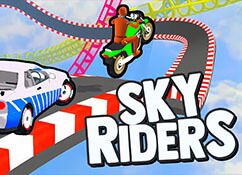
Sky Riders
First-race practice: hold your line through the bend
| Action | Control |
|---|---|
| Steer | Left / Right arrow |
| Slow down | Down arrow |
| Handbrake drift | Space (publisher-listed control) |
Get to the starting line
The large Play button on the title screen opens a mode selection screen; it does not start the race immediately. Choose an available mode, continue to level selection and select Level 1. Press Play there to reach the countdown. The hosted menu shows Multiplayer, Challenge and Free Run; an unavailable tile is not a loading failure.
Read the opening corner during the countdown
Level 1 places your red car beside a blue car, with the road bending left ahead and a barrier along the outside. Before the countdown ends, look at where the road goes rather than at the other car. Your first practice goal is simply to stay on the road through that bend. Leave passing until you can repeat the turn without a large correction.
A short practice routine
On one attempt, use brief steering taps and watch how far each tap moves the car. On the next, slow down before the same bend and compare how much correction you need. Change one input at a time; changing braking, steering and overtaking together makes it harder to tell why a run failed. This is a practice suggestion, not a guaranteed winning line.
Recover without restarting the whole page
An unsuccessful attempt can show a Try Again panel with Retry and Home. Retry takes you back toward the race; Home returns to the menus. Use these in-game choices for a driving mistake. The website Reload game button restarts the entire player and is meant for a frozen or stalled load. Wait for any provider ad to finish before expecting the countdown.
Choose your next challenge
- Sky Riders: sky-track driving — Try exposed tracks and deliberate landing alignment after practicing short steering corrections.
- MX Offroad Master — Switch to a bicycle challenge with a different balance and control task.